Reference sheet
USB power
What each port really delivers, and why USB-C needs its resistors
USB power
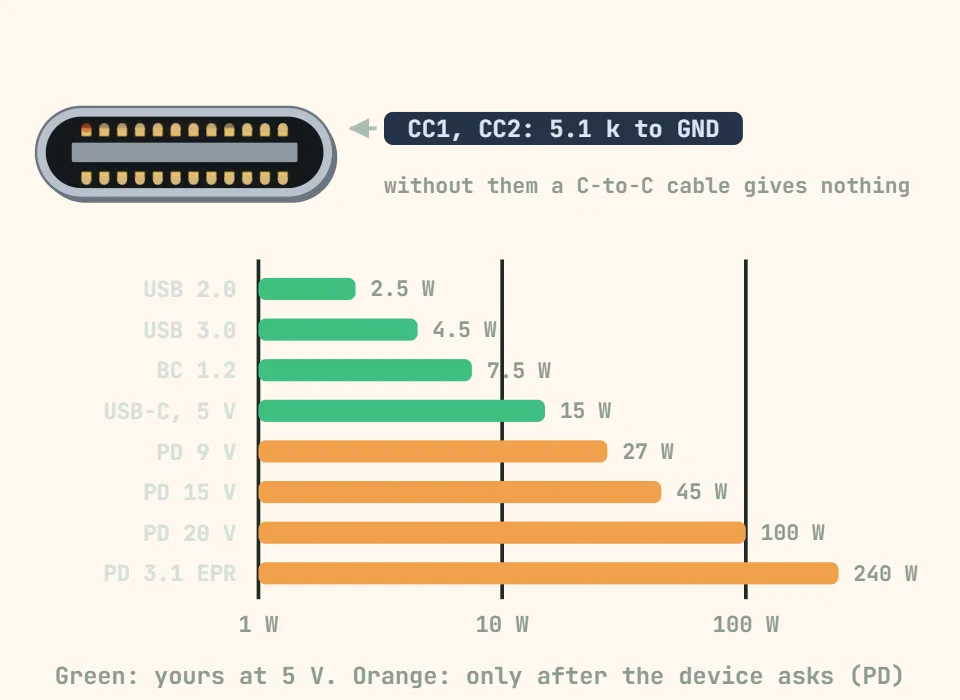
What a port will actually hand over. Above 5 V nothing flows until the device negotiates on the CC lines — which is why a bare USB-C socket on a project board delivers 5 V at best, and nothing at all if it lacks its two 5.1 kΩ pull-downs.
| Source | Voltage | Current | Power | Notes |
|---|---|---|---|---|
| USB 2.0 (A port) | 5 V | 0.5 A | 2.5 W | The legacy floor; many chargers give more anyway |
| USB 3.0 (A port) | 5 V | 0.9 A | 4.5 W | Blue port |
| USB BC 1.2 charging port | 5 V | 1.5 A | 7.5 W | Phone chargers with the data pins shorted |
| USB-C default (no PD) | 5 V | 3 A max (with 5.1 kΩ CC resistors) | 15 W | A device without the CC resistors gets nothing from a C-to-C cable |
| USB PD 5 V | 5 V | 3 A | 15 W | First PD profile |
| USB PD 9 V | 9 V | 3 A | 27 W | Common phone fast-charge step |
| USB PD 15 V | 15 V | 3 A | 45 W | |
| USB PD 20 V | 20 V | 3 A / 5 A | 60 W / 100 W | 5 A needs an e-marked cable |
| USB PD 3.1 EPR | up to 48 V | 5 A | 240 W | Laptop-class, EPR cables only |
Cheap cables are the usual culprit for a project that browns out: thin conductors drop volts under load, and a charge-only cable has no data pins at all.